← Back to CSS
43

Container Queries: truly responsive components

Learn how to adapt a component to the size of its own container with `@container`, `container-type` and container query units such as `cqi` and `cqw`.

📘 Theory

What container queries solve

The component adapts to the slot it occupies, not to the size of the whole screen.

If a card lives in a narrow sidebar and later moves into a wide main column, it should react to its own width. With media queries that usually leads to more fragile rules. With `@container`, the component becomes more autonomous.

The key idea is to declare a parent as a container and let its children consult that size to change layout, typography or visual density.

  • Responsive behavior at the component level, not only at the page level.
  • Less coupling between global layout and internal component styles.
  • Better reuse inside design systems.

Core syntax: `container-type` plus `@container`

First you define the container, then you write conditional rules against it.

  • `inline-size`: evaluates width, which is the most common case.
  • `size`: evaluates width and height, which is stricter and less common.
  • `container-name`: useful when you want to avoid ambiguity in more complex layouts.

Container units (`cqi`, `cqw`, `cqh`, `cqmin`, `cqmax`)

Fluid scaling relative to the container.

1

`cqi` and `cqw` represent percentages of the container width instead of the viewport width. That lets the text inside a widget scale according to the real space it has available.

2

Combine these units with `clamp()` to keep the result readable and under control.

🧭 Key visuals

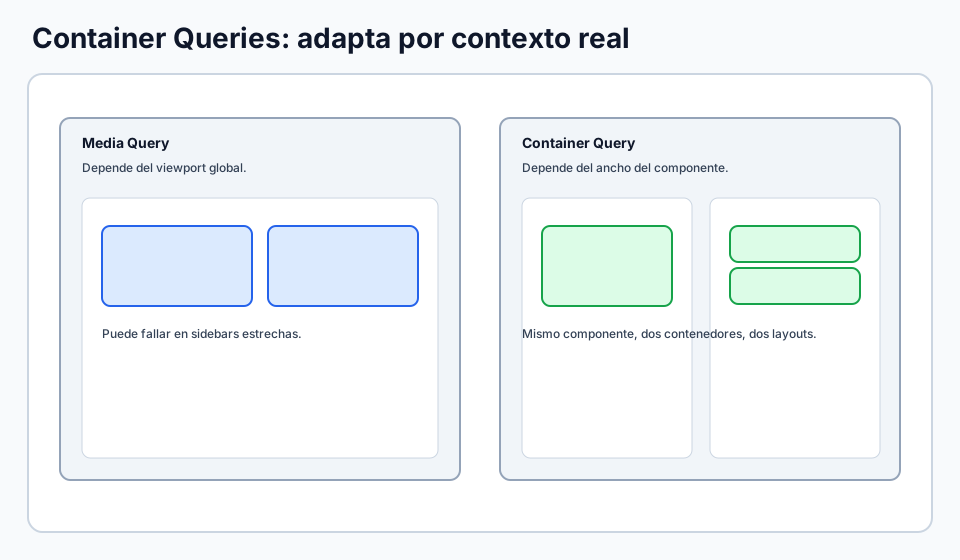
Container queries vs media queries

Shows why the same component may need a different layout in different containers.

Comparison between viewport-based media queries and component-based container queries.

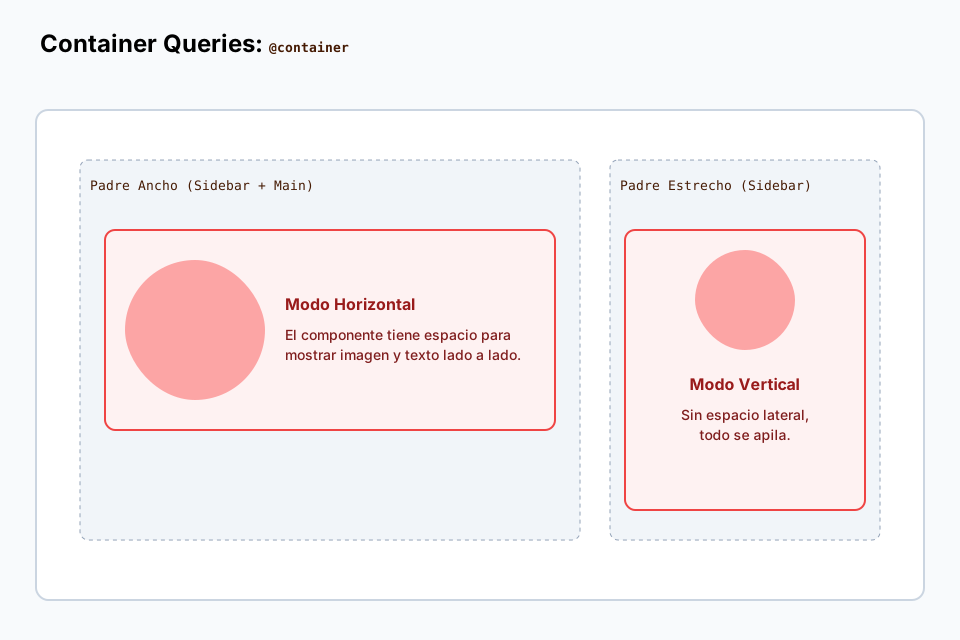
Container queries in real components

Reinforces the use of container queries in layouts with sidebars and reusable modules.

Advanced example of components adapting to the width of their own container.

🧪 Learn by doing

Example Interactive demo: resize the container Move the slider and watch the layout react through `@container`.

🏁 Challenges

Challenge Challenge: adaptive hero by container Activate the container, use `cqi`, and change a style inside an `@container` rule.

What is this?

I'm Cristian Eslava and I sometimes build websites so both you and I can learn and experiment. culTest

I made this in February 2026 to make learning easier for my students. The idea is to learn web development by practicing and to keep expanding the project with new topics, tests and challenges.

It draws inspiration from MDN, W3Schools, CodePen, Manz and many other web development references. I wanted to combine useful theory, runnable examples, challenges and the testing system I had already built for culTest. culTest

If you liked it, if you didn't, or if you want to get in touch, write to me at cristianeslava@gmail.com