← Back to CSS
50

Modern scroll: snap, sticky and scroll-guided motion

Learn how to design smoother scroll experiences with CSS through section snapping, sticky interface elements and an applied introduction to scroll-linked animation patterns.

📘 Theory

The fundamentals of scroll UX

Not every visual effect improves the experience, so use scroll behavior with intention.

The goal of modern scroll patterns is not decoration for its own sake. A good snap interaction helps people consume content in blocks, and a sticky header helps them keep orientation.

Prioritize performance and accessibility: avoid heavy effects in long lists and respect reduced-motion preferences when animation becomes part of the scroll experience.

  • Use snap for sections or carousels.
  • Use sticky positioning for contextual navigation.
  • Use scroll animation only when it adds clarity or orientation.
Scroll snap plus a sticky header

A very common pattern in landing pages, product tours and long-form documentation.

An introduction to scroll-driven animation

A modern API for tying animation to scroll progress.

1

With `animation-timeline` and `scroll()`, you can build reading progress bars or gradual reveal patterns without JavaScript in supporting browsers.

2

If you need broader support, keep the enhancement graceful: the content should still stay fully usable even if the animation does not run.

🧭 Key visuals

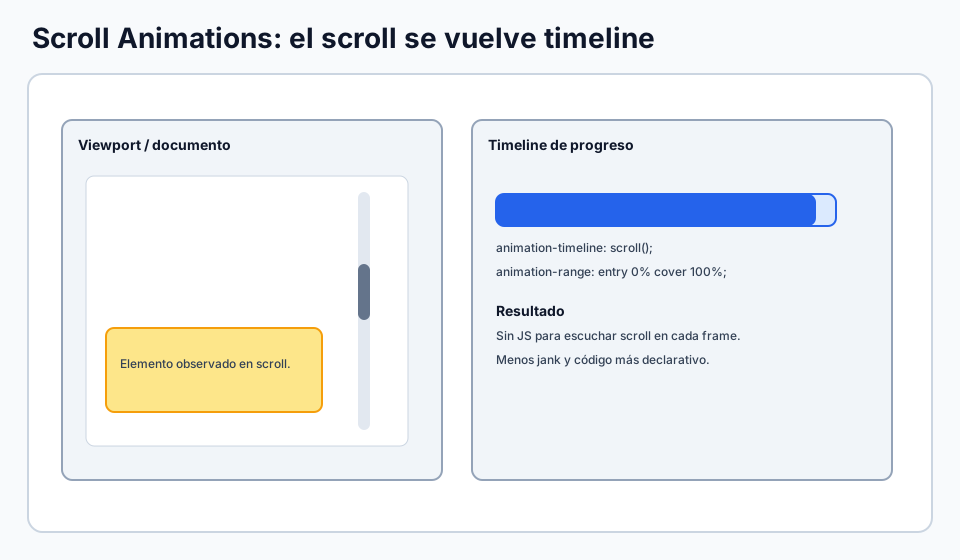
Timeline of scroll-linked animation

Connects the idea of a timeline to the visible state of a component during scroll.

Relationship between scroll progress and animation progress in modern CSS.

🧪 Learn by doing

Example Interactive demo: scroll snap and section-based reading rhythm Explore a fuller experience with vertical snapping, horizontal carousels and a more guided reading flow.

🏁 Challenges

Challenge Challenge: carousel with scroll snap Configure snapping on the container and alignment on each card.

🧰 Resources

Test

Check your knowledge with a test about CSS.

Test for CSS
CodePen: keyframes and transform
Open in CodePen

What is this?

I'm Cristian Eslava and I sometimes build websites so both you and I can learn and experiment. culTest

I made this in February 2026 to make learning easier for my students. The idea is to learn web development by practicing and to keep expanding the project with new topics, tests and challenges.

It draws inspiration from MDN, W3Schools, CodePen, Manz and many other web development references. I wanted to combine useful theory, runnable examples, challenges and the testing system I had already built for culTest. culTest

If you liked it, if you didn't, or if you want to get in touch, write to me at cristianeslava@gmail.com