← Back to CSS
46

2D and 3D transformations in CSS

Learn `translate`, `rotate`, `scale`, `skew`, perspective and `preserve-3d` to create fluid interactions and more advanced visual compositions.

📘 Theory

2D transforms with UX intent

First communicate state, then add style.

1

`translate` is useful for micro-interactions and small visual offsets. `rotate` and `scale` work well as feedback for buttons, chips and clickable cards.

2

Avoid extreme values. A good transform should be quick, legible and coherent with the action the user just performed.

3

A practical rule is to keep hover and focus durations short, roughly 120ms to 220ms, and combine transform with a clear color or shadow change.
3D basics: `perspective` and `preserve-3d`

Perspective belongs on the container. Rotation belongs on the object.

1

`perspective` controls perceived depth. The smaller the value, the stronger and more dramatic the 3D effect becomes.

2

`transform-style: preserve-3d` allows children to keep their spatial position instead of being flattened back into the same plane.

3

In real components such as cards, product cubes or icons, combine 3D with restrained transitions so the result feels rich instead of dizzying.

`transform-origin`: the pivot matters

Changing the pivot changes the meaning of the motion.

1

The default value is `center center`. Switching to `top left` or `left center` changes the feeling from a central rotation to something closer to a hinge.

2

For dropdown menus, `transform-origin: top center` often feels right. For side panels, `left center` or `right center` usually fits better.

3

When the pivot is part of the visual logic of the component, document that choice so it does not get lost during future refactors.

Performance and accessibility

Better animation also means respecting the user.

1

Prefer `transform` and `opacity` for frequent motion. They usually stay smoother because they avoid full reflow.

2

Do not animate everything. In dense interfaces, too much motion reduces cognitive clarity instead of improving the experience.

3

Respect reduced-motion preferences with `@media (prefers-reduced-motion: reduce)` and offer a static or minimal-motion alternative.

🧭 Key visuals

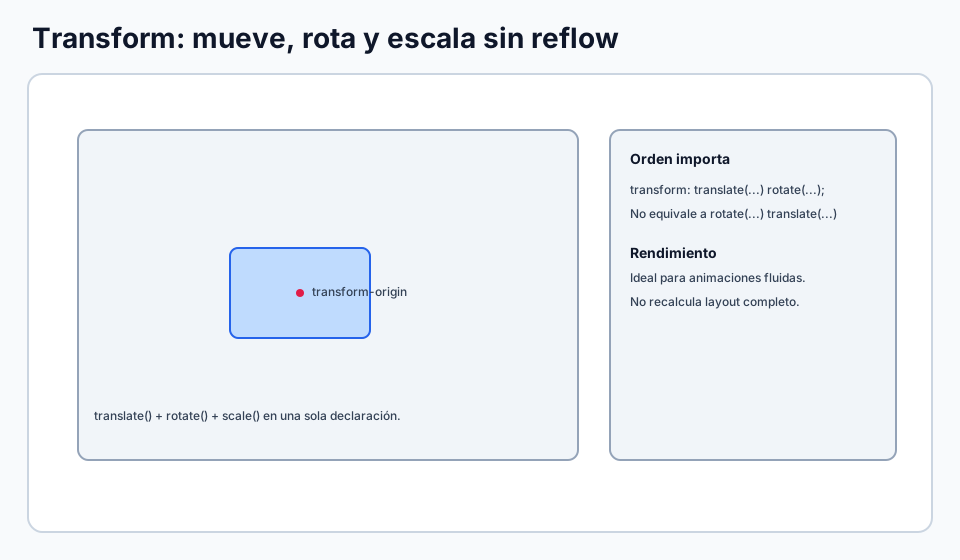
Transforms and `transform-origin`

Reinforces why the order of transform functions changes the visual result.

Combined application of translate, rotate and scale on an element.

🧪 Learn by doing

Example Interactive demo: pivot, rotation and scale Compare how the feeling changes depending on the transform origin and the intensity of the effect.
Example Interactive demo: scroll-guided 3D transforms Explore rotations on the X and Y axes, depth and `preserve-3d` in an immersive demo controlled by scrolling.

🏁 Challenges

Challenge Challenge: 3D flipping card Set the perspective and hide the back face correctly.

🧰 Resources

Test

Check your knowledge with a test about CSS.

Test for CSS
CodePen: keyframes and transform
Open in CodePen

What is this?

I'm Cristian Eslava and I sometimes build websites so both you and I can learn and experiment. culTest

I made this in February 2026 to make learning easier for my students. The idea is to learn web development by practicing and to keep expanding the project with new topics, tests and challenges.

It draws inspiration from MDN, W3Schools, CodePen, Manz and many other web development references. I wanted to combine useful theory, runnable examples, challenges and the testing system I had already built for culTest. culTest

If you liked it, if you didn't, or if you want to get in touch, write to me at cristianeslava@gmail.com