← Back to Programming Fundamentals
02

Input, Process, and Output: The Pattern Behind Every Program

Learn to identify input, process, and output in real examples such as calculators, logins, and task lists so you can understand how a program is structured from the beginning.

📘 Theory

Why This Pattern Matters So Much

Input, process, and output is not decorative theory. It is the minimum structure of any useful program.

A notes app, a user registration, a calculator, or a search feature may look different on the surface, but internally they share the same structure: they receive something, do something with it, and return a result.

When you internalize this pattern, code stops looking like one strange block and starts feeling like a chain of understandable transformations.

It also improves debugging, because it pushes you to ask: did the problem happen in the input, the rule, or the result?

  • Input: the initial data or user action.
  • Process: the rule, validation, calculation, or transformation.
  • Output: the visible response, message, value, or state change.
  • Check: confirm whether the result matches what you expected.
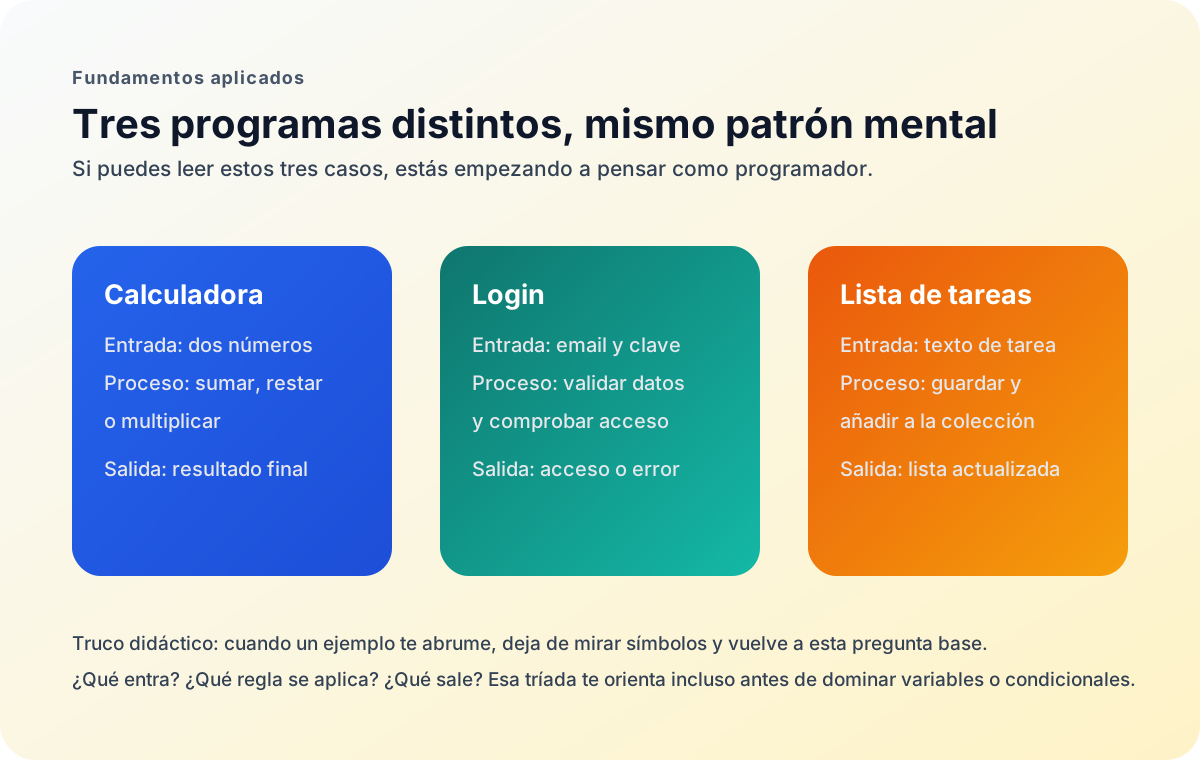
Three Real Cases to Fix the Mental Model

A pattern becomes real when you see it in different but comparable situations.

1

Calculator

Input: two numbers. Process: add, subtract, or multiply. Output: the final result.

2

Login

Input: email and password. Process: validation and verification. Output: access granted or error message.

3

Task list

Input: text for a new task. Process: store it and organize it. Output: the updated list.

How to Read a Flow Without Getting Lost

Before thinking about improvements, learn to name each stage of the trip correctly.

1

A helpful way to read beginner code is not translating every symbol, but answering three questions: what does it receive, what does it do with that, and what does it return?

2

This habit also improves how you ask for help. Instead of saying 'I do not understand anything', you can say 'I understand the input, but I do not see which rule creates this output.'

🧭 Key visuals

Input, process, and output in three examples

It helps learners see that very different programs share the same logical pattern.

A comparison diagram showing the input-process-output pattern in a calculator, a login flow, and a task list.

🧪 Learn by doing

Example Guided Example: A Calculator Read as a Flow A very small operation already contains input, process, and output.

🏁 Challenges

Challenge Challenge: Model a Task List as a Flow Write three console lines that describe input, process, and output for adding a new task.

🧰 Resources

What is this?

I'm Cristian Eslava and I sometimes build websites so both you and I can learn and experiment. culTest

I made this in February 2026 to make learning easier for my students. The idea is to learn web development by practicing and to keep expanding the project with new topics, tests and challenges.

It draws inspiration from MDN, W3Schools, CodePen, Manz and many other web development references. I wanted to combine useful theory, runnable examples, challenges and the testing system I had already built for culTest. culTest

If you liked it, if you didn't, or if you want to get in touch, write to me at cristianeslava@gmail.com